


"Phishing emails are responsible for the vast majority of successful cyberattacks, accounting for as much as 91%. That makes the ability to recognize and avoid them a critical part of staying secure online. From subtle impersonation attempts to urgent, fear-driven messages, phishing can take many forms. Understanding these variations and knowing the warning signs to look out for can make all the difference. To help you stay ahead, we’ve outlined some of the most common phishing email tactics and how to spot them before they cause harm."
How to Report Phishing in Outlook (Step-by-Step Security Guide)
Phishing emails remain one of the most common cybersecurity threats affecting both individuals and organizations. Attackers frequently target users of Microsoft Outlook by sending deceptive messages designed to steal sensitive information such as passwords, financial details, or business credentials.
In this guide, you will learn how to identify phishing emails, how to report them correctly in Outlook, and what steps to take if you accidentally interact with a malicious message.
What Is Phishing in Outlook?
Phishing is a social engineering attack where cybercriminals impersonate trusted organizations, colleagues, or service providers to manipulate users into performing risky actions.
Modern phishing campaigns are highly sophisticated and can bypass traditional spam filters, making user awareness a critical defense.
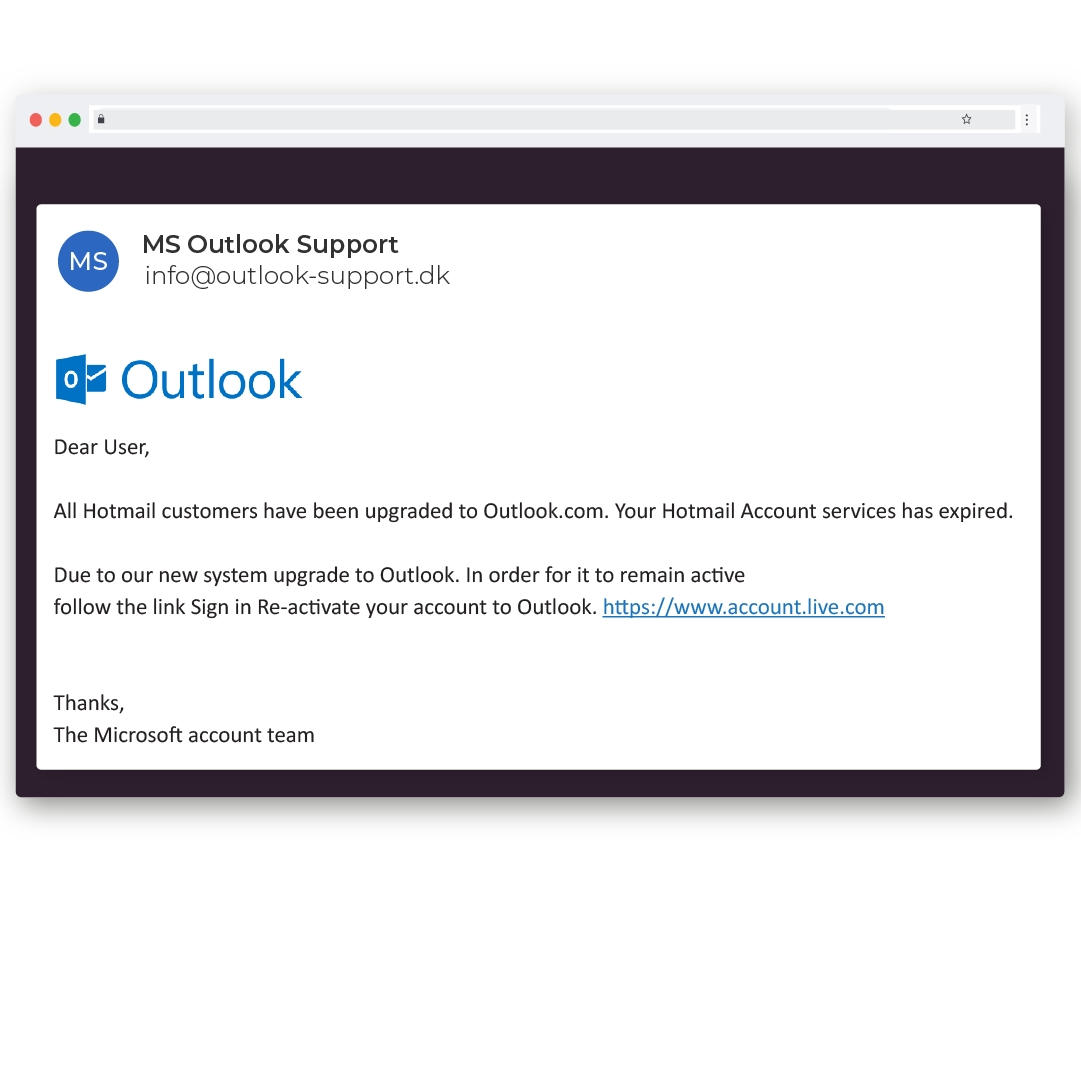
Common Signs of Phishing Emails and examples
Before learning how to report phishing email in Outlook, it is important to recognize suspicious messages.
Warning Indicators to Watch For
- Urgent language requesting immediate action : "I need you to make an urgent payment"
- Unknown or spoofed sender email addresses
- Suspicious hyperlinks or shortened URLs
- Unexpected attachments
- Generic greetings such as “Dear User”
- Generic greetings such as “Dear User”
- Requests for passwords or financial information
How to Report Phishing in Outlook
Reporting phishing emails in Outlook takes only a few seconds and plays a major role in strengthening email security.
Steps to Report Phishing in Outlook Desktop
Once reported, the message is automatically submitted to Microsoft’s threat intelligence systems.
Steps to Report Phishing in Outlook Web
This action removes the email from your inbox and contributes to improved spam detection.
Alternative Method — Forward the Phishing Email
If the reporting feature is unavailable, users can manually forward suspicious messages to Microsoft for investigation.
Forward the email to:[email protected]
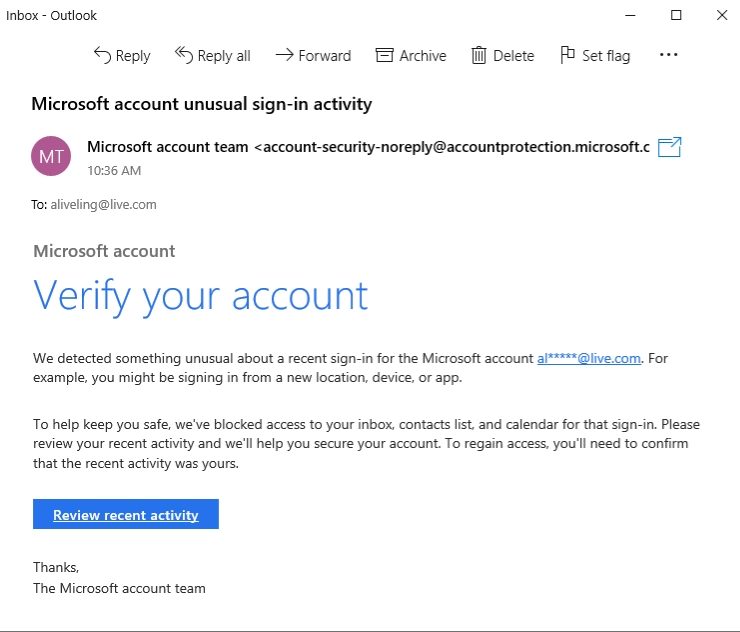
What to Do If You Clicked a Phishing Link
Accidentally interacting with a phishing email can happen to anyone. Acting quickly can significantly reduce potential damage.
Don't Panic, Here's what you should do
Quick response can prevent attackers from gaining persistent access.
Best Email Security Practices to Prevent Phishing
Preventing phishing attacks requires consistent security awareness and proactive measures.
Email Protection Tips
Frequently Asked Questions
How do I report phishing in Outlook?
You can report phishing by selecting the suspicious email, clicking the Report button, and choosing Report Phishing.
Where do reported phishing emails go?
Reported emails are sent to Microsoft’s security systems to improve spam filtering and threat detection.
Can phishing emails hack my Outlook account?
Yes, phishing emails can lead to credential theft if users enter login details on fake websites.